How I Learned to Use AI Like a Beginner Developer
My New Clickbait Tool

I follow this health YouTuber who makes educational content.
Most of it is solid. But then he drops videos with claims like: “This Morning Routine Shrinks Belly Fat 60% in Days.”
Another promised “1 Weird Trick Reverses Aging.” Spoiler: It was just sleep better.
And don’t get me started on “Millionaires Mentor You to Millions in 7 Days.” Yeah, the advice was just “buy my course and work hard.”
My BS radar went OFF.
But here’s the problem: these videos are 30–40 minutes long. Do I scrub through the entire thing to see if the claim is even IN the content? Do I waste half an hour to find out he’s talking about some mouse study buried at minute 28?
I consume a lot of YouTube content. And this was happening constantly.
I was done.
Then I Discovered Something
I was playing around with Google’s NotebookLM and discovered it could summarize YouTube videos. Just paste in a link, get the summary.
But it didn’t have a public API for automation.
Gemini does—and it can do the same thing.
The idea: Build a Chrome extension that spots clickbait YouTube videos. It grabs video links from the page, sends them to Gemini to summarize the content, and checks if the title and thumbnail exaggerate what’s in the video. If they don’t match, it flags the video with a warning label—like “Clickbait Alert!”
Let the machine fight the machine.
But as I started building, I learned something bigger: AI thinks differently than experienced developers—and that difference matters.
The AI-Generated Plan (That Would Have Failed)
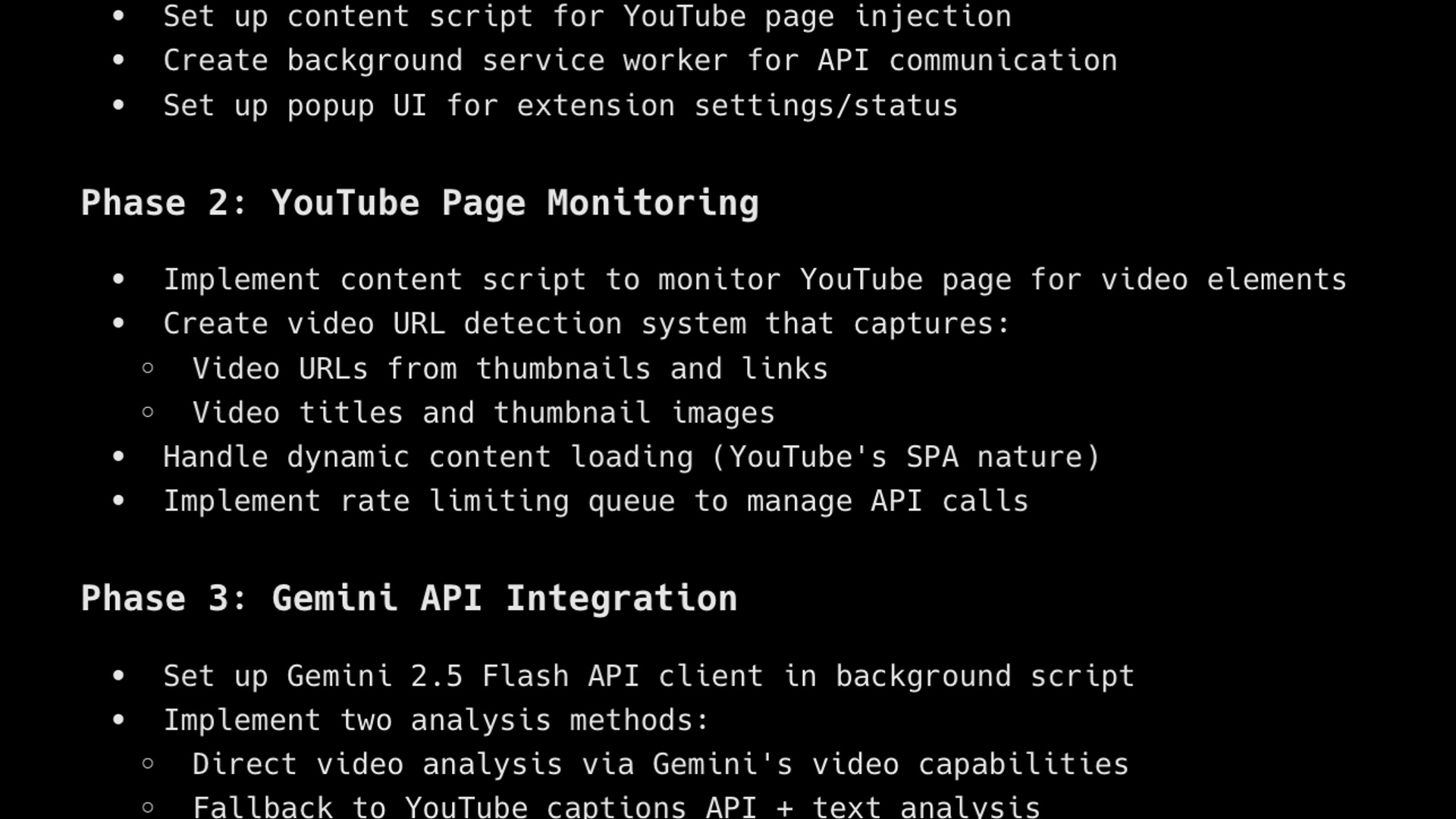
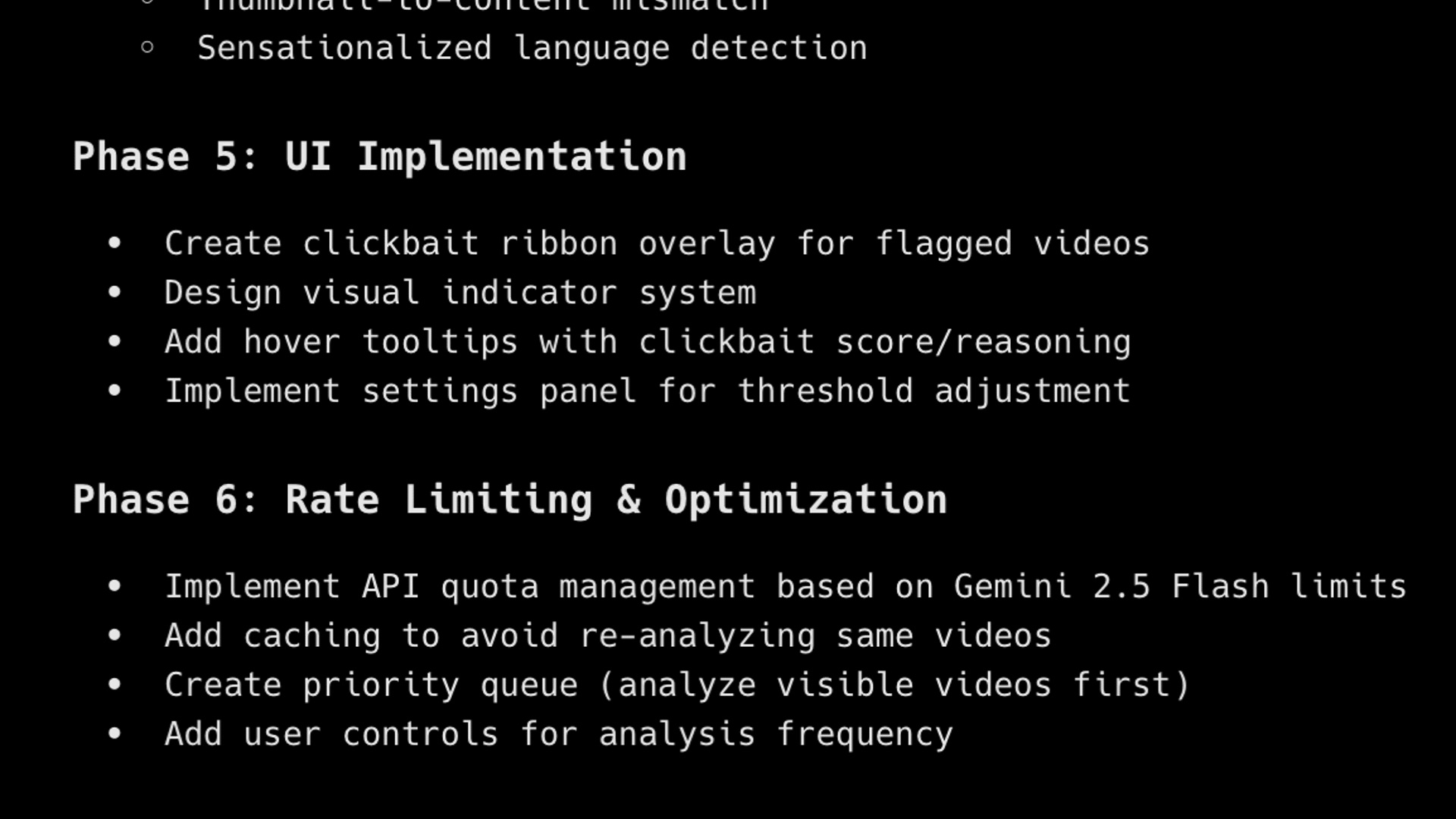
I opened Warp—an AI-powered coding assistant I love—and asked it to plan a Chrome extension to flag clickbait videos.
It gave me a polished, multi-phase plan: link extraction, Gemini summarization, clickbait scoring, UI elements, everything. It looked impressive. Professional. Complete.
I felt smug. Look at me, using AI like a pro.
Then I showed it to my dev friend Colin.
He took one look and said: “I would do it in a more agile way.”
He was talking about an Agile approach—breaking a big problem into the smallest possible pieces, then building and testing each piece completely before moving on.
He explained: Build the bare-bones extension first. Test if it loads. Then add ONE feature—extracting YouTube links. Test if that works. Then add Gemini summarization. Test. Then clickbait scoring. Test. Then the UI element.
Test every single step.
That hit me like a brick.
I felt like an idiot for 5 seconds.
Then I realized he just saved me two weeks.
If I’d followed the AI’s plan, I’d have built all five features at once. From experience, AI-built projects always have bugs. I’d waste weeks figuring out what broke—link extraction, Gemini, scoring, or the UI.
The irony—I wanted a tool to save time, but the AI’s plan would’ve cost me more.
The New Plan
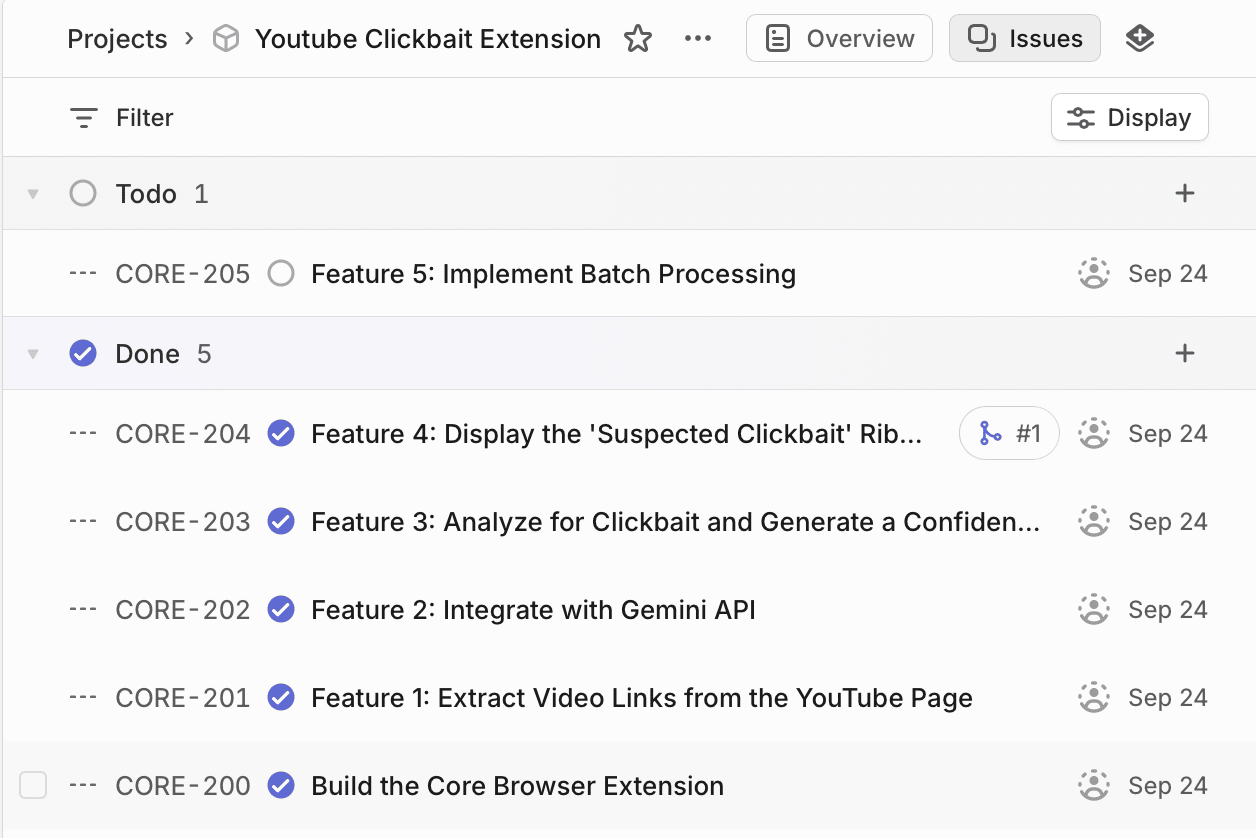
I scrapped it and asked Warp to start over.
This time, I was specific: - First: Build a bare-bones extension that does nothing. Test. - Then: Add the feature to extract YouTube links. Test. - Then: Use Gemini to summarize videos. Test. - Then: Analyze the video for clickbait score. Test. - Finally: Create a visual warning on the page for suspected clickbait videos. Test.
One piece. One test. Move forward.
Think of it like cooking: make one dish, taste it, adjust. Not cooking a full meal before realizing the ingredients don’t work together.
I asked Warp to break this down into phases that made sense, then transferred those phases to Linear as separate issues.
Testing It Out
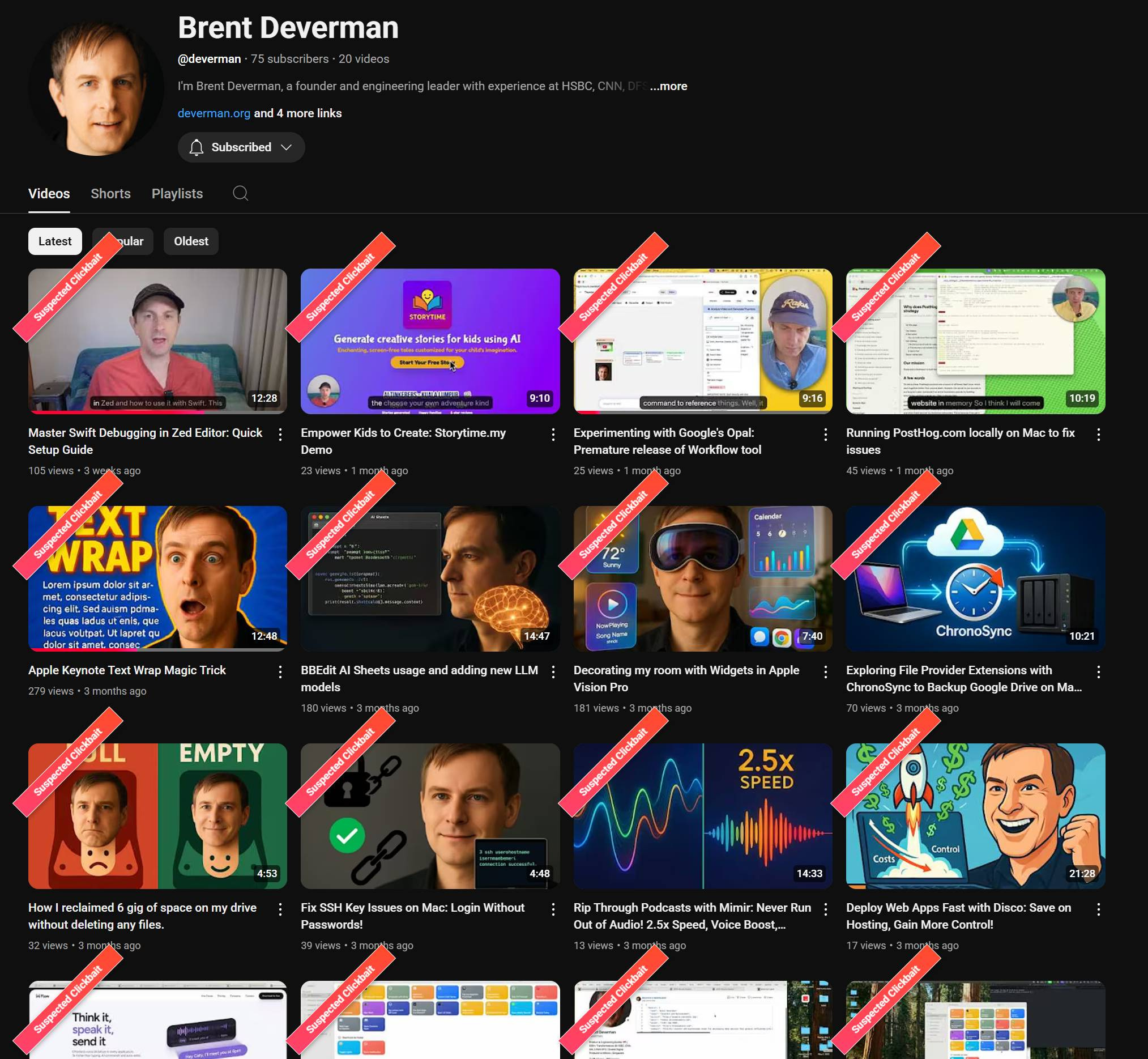
I’m still testing the extension, but I already had one hilarious moment.
To check the flagging feature, I cranked the threshold to 1—flagging everything as clickbait and tested it on my friend Brent’s channel.
Every video got flagged.
Overkill? Totally. But hey, the system works!
What This Really Taught Me
Here’s what bothers me most: the problem wasn’t Warp. The problem was my prompt.
I asked AI to give me a complete plan. And it did exactly that—something that looked impressive and complete.
What I should have asked: “Give me an agile plan—build and test one feature at a time.”
Now that I understand how a developer actually thinks, I can prompt AI differently. Not simpler requests, but requests structured the right way.
AI is confident and gives plans that sound right, but it doesn’t know “looks complete” from “fails fast.” That’s where human experience—and better prompts—come in.
And here’s the kicker: I’ve been doing this same thing in other parts of my business.
My content calendar? I planned three months of posts instead of writing one, seeing if it resonates, then iterating.
My business plan? Full of beautiful phases and milestones—but no “test if this idea is wrong quickly” checkpoints.
I realized I’d been treating Linear the same way—creating perfect-looking plans instead of iterative progress.
Those perfect plans I was about to create? Just an all-at-once approach disguised as strategy.
The Takeaway
I’m going back through my Linear board right now.
Looking at every issue and asking myself: “If I build this, will I know fast if it’s wrong?”
Turns out, most of them are overplanned messes.
I’m breaking them down. Testing smaller. Failing faster.
Because the worst thing I can build? Something that takes two weeks to discover it doesn’t work.
Want in? Follow the project on GitHub and watch the wins, bugs, and all (you’ll need a Google Gemini API key to use the extension).
Your turn: Got a clickbait horror story or a killer AI prompt for an agile plan? Share below—I’m testing that “60% in Days” video first, and if it’s not flagged, it’s back to square one!