Don’t Let AI Do It For You
How I Almost Gave Up on Vibe Coding (And Why I’m Glad I Didn’t)

How I Almost Gave Up on Vibe Coding (And Why I’m Glad I Didn’t)
Last week, I scrapped the entire codebase for my blog and started over. Not because I wanted to, but because I had to.
The AI-generated code worked… until it didn’t. I was stuck in an endless debug loop with code I didn’t understand.
That’s when I realized: I wasn’t using vibe coding wrong because the AI was bad.
I was using it wrong because I treated it like a magic code printer.
What Actually Happened
I discovered vibe coding tools like Cursor, Windsurf, and Warp earlier this year. As someone with a UX design and PM background who dabbled in HTML/CSS/JS, I thought: “Finally! I can build software without needing to be a full developer!”
I threw everything at the AI: “Build me a blog. Make it fast. Add this CMS. Connect that API.”
It worked. Sort of.
After three weeks, I had a Frankenstein codebase I couldn’t ship. Components that didn’t talk to each other, redundant logic scattered across files, and build errors I couldn’t trace.
Even worse... I had learned nothing.
I was completely dependent on the AI to solve problems I didn’t understand, fix bugs I couldn’t debug, and make changes I couldn’t verify.
That’s when I realized: I was using vibe coding to avoid learning code. I should have been using it TO learn code.
The Reboot: How I Actually Got It Right
I deleted everything and started over. But this time, I changed my approach entirely.
Instead of treating Warp (my vibe coding tool of choice) as a code-writing machine, I treated it like a pair programmer. Not someone doing the work FOR me but someone teaching me HOW to do the work.
Here’s what changed:
1. I Stopped Letting AI Run Wild
AIs make mistakes. A lot of them.
In industry benchmarks, even the best AI coding tools (Cursor, Windsurf, Claude Code, etc.) struggle to build perfectly functioning code from a single prompt.
On the latest SWE-Bench tests, top models solve only 23-73% of real-world coding problems, and that’s with multiple attempts.
Studies show LLMs don’t robustly use information in long contexts. They forget. They hallucinate. They take shortcuts.
I learned the hard way: you can’t trust AI to run automatically. You need to check its work.
For frontend stuff with good documentation, I could verify it myself. But early on, I trusted the AI blindly, and that’s where the bugs came from.
The fix: I started asking Warp to EXPLAIN what it was doing before doing it. Then I’d verify the logic made sense before running the code. I studied every code suggestion Warp made, treating each one as a mini lesson.
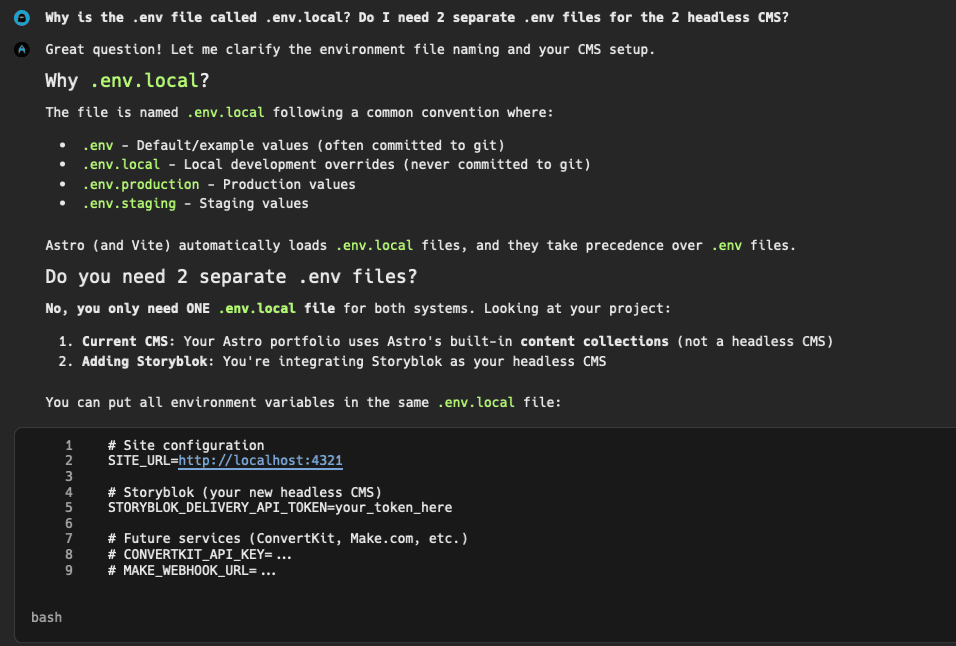
2. I Committed Like My Life Depended On It
I saved my progress by committing code constantly.
When you’re vibe coding, it’s tempting to let the AI make 10 changes at once.
Don’t.
Make one change. Test it. Commit it. Then move to the next.
Why? Because when (not if) something breaks, you need to know exactly WHAT broke it. With a messy commit history, you’re toast.
The fix: Every task got one commit. No exceptions.
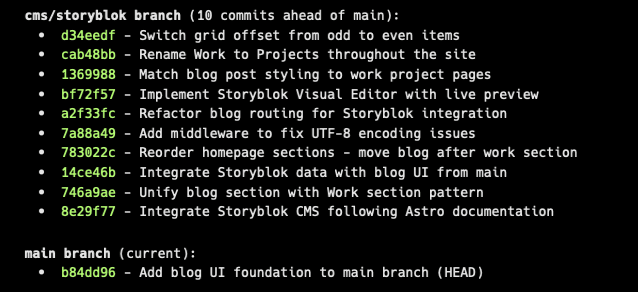
3. I Kept Tasks Stupidly Short
Even the most advanced models see performance drops with very long contexts (60k-120k tokens).
There’s a well-known quirk called the “lost in the middle” problem: LLMs remember the beginning and end of prompts better than the middle.
So if your critical requirements are buried halfway through a long prompt, the AI might ignore them entirely.
Translation? The longer your task, the more the AI forgets what you asked for.
I started breaking everything into bite-sized chunks. Instead of “Build me a blog with Astro and Storyblok integrated as a headless CMS,” I’d say:
“Set up an Astro project”
“Install Storyblok integration”
“Create one blog post component”
“Test the component”
Each task took 5-10 minutes max. I used Linear to track every task.
Here’s the key: with MCP (Model Context Protocol), Warp could pull the exact Linear issue I was working on, giving it all the context it needed without me re-explaining everything each time.
Linear became my external memory, and MCP was the bridge.
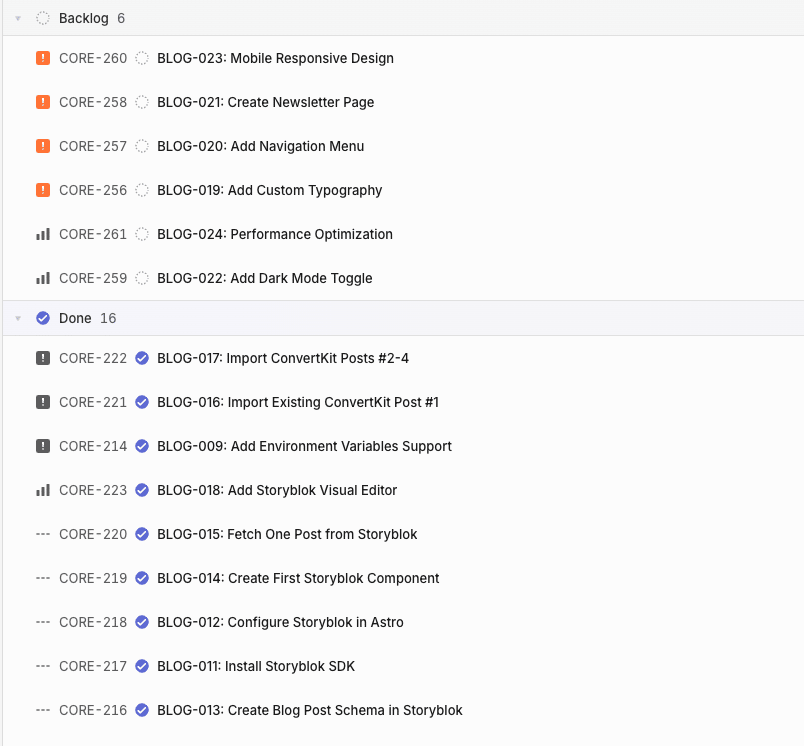
The fix: If a task takes more than 10 minutes to explain, it’s too big. Break it down.
4. I Used Vibe Coding to Learn, Not to Avoid Learning
This was the biggest shift.
I stopped asking Warp to write code for me. I started asking it to teach me.
Instead of: “Fix this bug” I’d ask: “What’s causing this error? Walk me through how to debug it.”
Instead of: “Add this feature” I’d ask: “What’s the best way to implement this? Show me an example and explain why it works.”
The result?
I actually learned. I can now confidently say I code at a junior developer level with Warp as my pair programmer. Not because the AI wrote the code for me but because it TAUGHT me how to do it.
What I Actually Built
With this new approach, I rebuilt my blog from scratch using Astro (a static site generator) and Storyblok (a headless CMS).
Translation for non-technical folks:
Static Site Generator (SSG): Builds your website once, then serves pre-made pages. It’s crazy fast and SEO-friendly, perfect for a blog that prioritizes performance.
Headless CMS: A content management system that stores your content but doesn’t control how it looks. I can build the “head” (the frontend) however I want, giving me total design control while keeping content management simple.
The whole thing took days, not weeks.
And this time, I understood most of what the code was supposed to do.
When something broke, I could fix it myself. When I wanted to add a feature, I knew where to look.
What Nobody Talks About
Here’s the truth: vibe coding works better if you have SOME technical foundation.
I’m not a “non-technical person.” I’m a UX designer who became a PM. I’ve worked with HTML, CSS, and JavaScript during my career. I dabbled in Web3, AR/VR, and now AI. I’ve always been technically curious.
So while I’m not a software developer, I’m not starting from zero either. I’m in kind of a sweet spot: I know enough to be dangerous, but not enough to build everything by hand.
That foundation made ALL the difference. Someone with even a little bit of coding knowledge can use vibe coding more efficiently.
Does that mean beginners can’t use vibe coding? No. But it means you should use it to LEARN, not to AVOID learning.
The Real Lesson
Vibe coding isn’t a shortcut to avoid learning code.
It’s a shortcut to learning to use code FASTER.
The more you know, the better you can vibe code. The better you vibe code, the more you learn. It’s a flywheel.
I learn best by doing. Vibe coding lets me DO more than I ever could before, which means I LEARN more than I ever could before.
Will it take me longer to build something than an experienced developer?
Absolutely.
But compared to trying to learn this stuff from scratch without AI? I’m years ahead.
If there’s one thing you take away from this: don’t let AI write code for you. Let it teach you how to write the code.
Your Turn
Have you tried vibe coding? How are you using it? Are you treating the AI like a code printer or a pair programmer?
I’d love to hear your experience. Hit reply and tell me what’s working (or not working) for you.
And if you found this helpful, share it with another founder who’s trying to figure out this whole vibe coding thing.
Keep building,
Kai